SDEV-1150
This January 2026 is the first time I am teaching the SDEV-1150 course. While I’m familiar with JavaScript, I’m still discovering how the material is organized/prioritized in this course.
In each of the upcoming lessons, I will include the posted Learning Outcome Guides (LOGs). In this first delivery, I might also lean on the agenda on my Instructor Workbook. In the past, I used agendas like these as a reference for what we will be covering in class and as a simplified way of grabbing the starter kits to use in your student workbook.
Student Textbook
Section titled “Student Textbook”This course uses a textbook which is available free online to NAIT students.
-
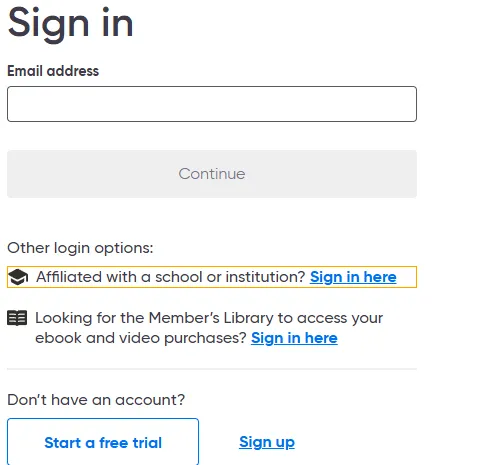
Visit the O’Reilly website.
-
Choose the “Affiliated with a school or institution” option.
-
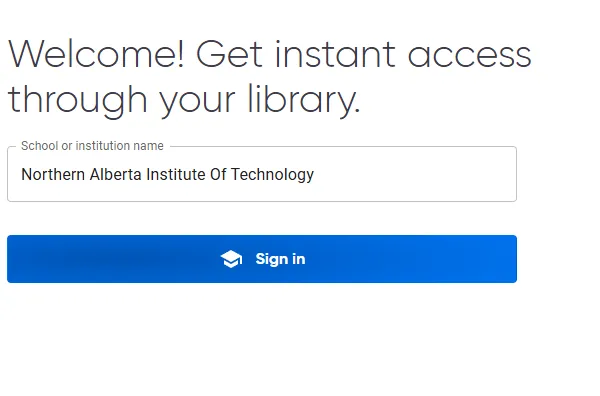
Enter your school name.
-
Follow the remaining login with your school email account.
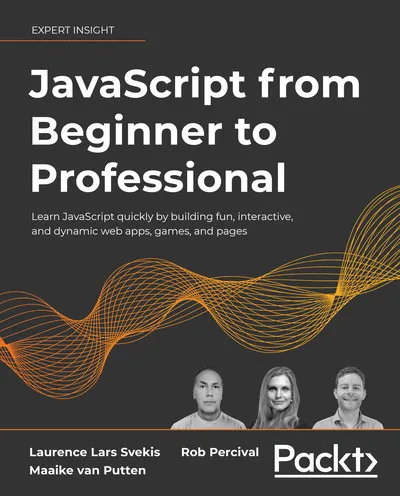
JavaScript from Beginner to Professional
Section titled “JavaScript from Beginner to Professional”Chapter titles include:
- Getting Started with JavaScript
- JavaScript Essentials
- JavaScript Multiple Values
- Logic Statements
- Loops
- Functions
- Classes
- Built-In JavaScript Methods
- The Document Object Model
- Dynamic Element Manipulation Using the DOM
- Interactive Content and Event Listeners
- Intermediate JavaScript
- Concurrency
- HTML5, Canvas, and JavaScript
Scheduled Lessons
Section titled “Scheduled Lessons”The following are the planned lessons in the curriculum. They roughly correspond to the class periods that we have (though I may take the first two classes to get you familiar with the software and your student workbook).
- Introduction to Front End Development
- Foundations (HTML, CSS, JS, Build Tools)
- Intro to JavaScript: Types, Variables, Built-in Functions
- Flow and Debugging in the Browser
- Introduction to the Document Object Model (DOM)
- Dynamic content
- DOM Exercises
- Intro to Event-Driven Applications
- Event-driven UI
- Form Event Handling
- HTML Form Validation
- Event and Form Exercises
- Intro to package management
- Building with Packages
- HTTP and Server-side API Endpoints
- Async JavaScript and the Fetch API
- API and Fetch Exercises
- Debugging Front-End Async Applications
- Building components
- Styling components
- Component communication and State
- Web component basics exercises
- Component Lifecycle and State Management
- Testing Web Components
- Front-End application Troubleshooting
- Exploring advanced DevTools features
- Deploying Web Applications
- Front-end application deployment exercises
- Introduction to React: Components & JSX
- React State & Event Handling
JavaScript QuickStarts
Section titled “JavaScript QuickStarts”You can explore JavaScript without any other web files (HTML/CSS) or even a web server! This is possible by using NodeJS.
To run a single JavaScript file in your student workbook using Node, do the following:
- Open a new terminal in VS Code.
- Change to this directory:
cd src/js-quickstart - Run your script in watch mode. For example, if you have a file named
sandbox.js, you can run it by enteringnode --watch sandbox.js. - Now, you can position your terminal and your JavaScript file side-by side and watch what happens as you edit and save your code!
Debugging
Section titled “Debugging”
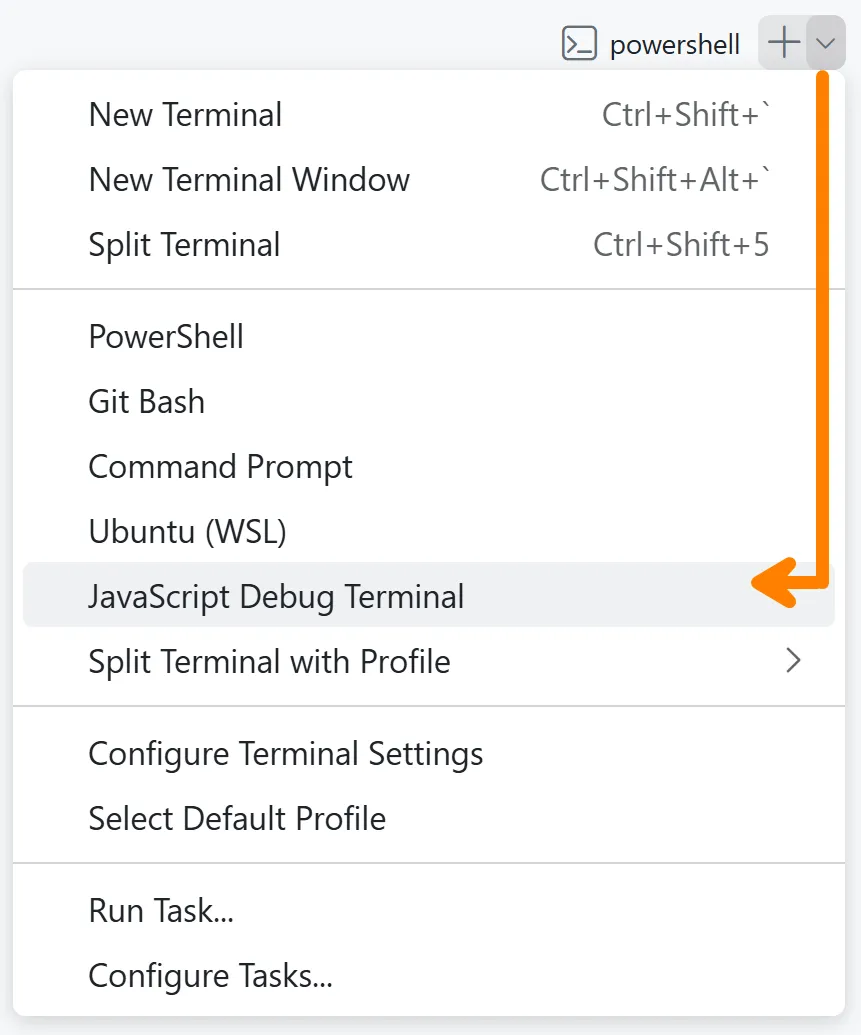
You can also open a JavaScript Debug Terminal and use breakpoints along with VS Code’s built-in debugging tools. It’s the same steps as above, but you begin with selecting JavaScript Debug Terminal from the terminal’s drop-down.
To put a breakpoint on a line of code, simply click on the left of any line number of your code (this area is called the gutter) to toggle breakpoints on and off.

To learn more about debugging, see Debug code with Visual Studio Code and Node.js debugging in VS Code.